

Are your employees hesitant to trust automation or unsure how to work with a virtual assistant?
Do you hear things like, “It’s faster if I just do it myself”?
You are not alone. Many agency leaders face resistance when they introduce automation, even when the benefits are clear. Staff worry about disruption, confusion, or losing control.
At Lava Automation, we have helped hundreds of insurance agencies integrate automation and trained virtual assistants into daily operations. With billions in premium supported and hundreds of thousands of hours saved, we have seen how structure turns hesitation into progress.
In this article, you will learn why insurance teams resist automation, how to build trust early, and what steps to take to ensure a smooth rollout of automation and virtual assistants.
Why Insurance Teams Resist Automation and Virtual Assistants
Resistance often comes from uncertainty.
When people do not understand how automation or a virtual assistant fits into their daily work, they feel uneasy about the change. That uncertainty can grow when new systems are introduced without context or when earlier rollouts caused confusion.
The most common concerns include:
Fear of job loss or of being replaced by technology.
Confusion about which responsibilities will shift.
Frustration when new tools are introduced without clear direction.
Lack of confidence in learning unfamiliar systems.
People resist automation when they do not understand how it supports their role. When staff gain clarity and reassurance, confidence replaces hesitation.
Leaders can reduce resistance by communicating early and consistently. Explaining what will change and how each role benefits creates a sense of stability and control.
How to Prepare Staff for Automation and Virtual Assistant Rollouts
Adoption begins long before implementation. The best results come from preparing your team before systems go live.
Clarity, preparation, and internal champions all contribute to building trust before launch day.
Before introducing new tools, hold a team discussion about why automation matters. Show how repetitive work, such as data entry, email follow-up, or policy tracking, can shift to automated systems or to a trained virtual assistant.
To create buy-in:
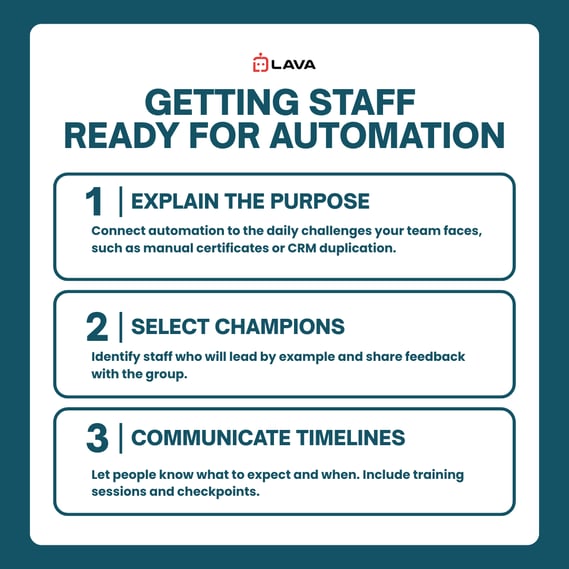
Explain the purpose. Connect automation to the daily challenges your team faces, such as manual certificates or CRM duplication.
Select champions. Identify staff who will lead by example and share feedback with the group.
Communicate timelines. Let people know what to expect and when. Include training sessions and checkpoints.
When employees understand how automation improves their work, they begin to support it with confidence.
If your agency uses platforms like AgencyZoom or HawkSoft, walk through how automation connects with those systems. Showing the relationship between familiar tools and new processes helps staff feel comfortable and capable.
How to Build Trust Between Staff and a Virtual Assistant
Introducing a virtual assistant requires a structured approach and clear communication.
Start with specific, repeatable tasks such as certificate requests, renewal preparation, or CRM updates. Provide SOPs and short walkthrough videos so expectations remain consistent.
Trust grows when structure and transparency guide the relationship.
Hold daily check-ins during the first 30 to 60 days, provide feedback early, and celebrate small wins. Create a shared workspace for progress updates and task documentation so both your team and the virtual assistant stay aligned.
In the insurance industry, virtual assistants handle sensitive information, so security and compliance must remain integral to the process. Review access levels, train staff on client data policies, and emphasize the importance of consistency in protecting the agency’s reputation.
To build this foundation, learn how clear SOPs accelerate adoption and reduce confusion using the step-by-step guide in How Do You Write Better SOPs for Insurance Agencies.
How to Introduce Automation in Phases Without Overwhelming Staff
Automation adoption is most effective when introduced in stages. Launching many features at once can overwhelm your team and slow progress.
Start small, track results, and expand once your team feels ready.
Begin with workflows that deliver quick results, such as automated insurance claims updates, CRM reminders, or renewal emails. These processes show measurable improvement early and help staff view automation as a useful tool that simplifies daily work.
A simple phased approach:
Phase 1: Automate one high-volume process, such as renewal reminders or certificate requests.
Phase 2: Measure time saved, gather feedback, and share success stories internally.
Phase 3: Add new workflows such as claims tracking, client notifications, or accounting tasks once the team demonstrates confidence.
Document each step of the rollout. Consistent documentation gives staff a reference point and makes it easier to train new hires later.
Automation should evolve over time. The system becomes stronger as your team contributes ideas and identifies new opportunities.
How to Maintain Staff Engagement After Automation Launch
A rollout marks the beginning of a longer journey. Ongoing engagement is what turns short-term success into lasting improvement.
Engagement continues when feedback, recognition, and updates stay consistent.
Hold monthly review meetings to discuss what is working and identify areas where workflows can be improved. Ask staff to share examples of how automation helped them meet deadlines or serve clients faster. Recognition and shared wins strengthen morale.
Use metrics from your CRM or automation platform to track progress. For example, monitor how much time automation saves on renewals or how many tasks are completed automatically. Visual results reinforce that change is paying off.
Keep SOPs up to date, train staff quarterly, and rotate responsibilities to ensure everyone remains comfortable using new tools. When leadership remains visible and responsive, engagement stays strong and adoption becomes part of the agency culture.
How to Align Insurance Teams with Your Automation Strategy
The most effective agencies connect automation and virtual assistants to a shared mission. These tools create structure, improve service, and allow licensed staff to focus on what matters most: client relationships and long-term growth.
When automation aligns with agency goals, adoption becomes sustainable.
Share your vision with the team. Explain how automation and virtual assistant services reduce administrative work, streamline client communication, and strengthen consistency. When staff understand how these systems support agency goals, they take ownership of the change.
Encourage feedback loops that keep leadership informed about what is working. Every improvement, such as faster certificate processing or fewer claim follow-ups, shows how automation and trained assistants contribute to success.
How Agencies Turn Hesitation Into Adoption
In the past, your staff may have resisted new tools because change felt confusing or rushed.
Now, you can guide them with structure, clear communication, and steady support, creating a smoother adoption of automation and virtual assistants.
As your systems mature, continue to reinforce the same foundation: clarity, training, and consistent follow-up. Over time, what once felt uncertain becomes routine, and your team begins to view automation as an essential part of agency growth.
When leadership models confidence, staff respond with trust and consistency.
To stay ahead as your systems expand, read How to Troubleshoot Problems with Virtual Assistants to help your team remain confident, consistent, and prepared for every stage of growth.
Frequently Asked Questions
How can I help skeptical staff see the benefits of automation?
Show how it saves time and reduces manual steps. Use examples that demonstrate practical results.
Should I implement automation before hiring a virtual assistant?
Either approach can work. Introducing both together often provides balanced support for your agency.
What if staff worry about being replaced?
Explain that automation and virtual assistants handle repetitive work so licensed staff can focus on client service and revenue-building activities.
How long does it take for adoption to stabilize?
Most teams adjust within 30 to 60 days when communication and training remain consistent.
How do I sustain momentum long-term?
Review workflows quarterly, celebrate progress, and keep SOPs current so systems evolve alongside your agency.
