

Are you delaying automation because your team already feels overwhelmed?
Do you worry that improving your systems will interrupt daily work or create stress during a busy season?
Insurance agencies often feel stuck in this pattern. Workloads grow, but the systems guiding that work stay the same. Staff complete tasks that follow clear steps, yet those steps take longer because they depend on memory, constant follow-up, and manual updates.
At Lava Automation, we have supported hundreds of agencies as they navigate these pressures. With billions in premium supported across our automation and virtual assistant programs, we understand how overwhelmed teams regain time when routine work follows a predictable structure.
This article explains why busy insurance teams hesitate to automate, what happens when workload grows faster than systems, and how automation supported by a virtual assistant helps agencies stay organized.
Why do busy insurance teams wait to start automation?
Many insurance teams hesitate to automate because the day already feels full. Leaders want to protect staff from anything that looks like a new project, especially when renewals overlap and service work increases. Even a small improvement can feel like too much when the team is stretched.
Teams often postpone automation because they assume change requires more time than they have available.
Some agencies also believe they must finalize documentation before beginning automation. In practice, many refine documentation while improving their first workflow. Early structure helps the team stay consistent, and clarity grows from there.
Past technology experiences can also influence decisions. If teams have lived through confusing CRM transitions or tool changes, they may expect any improvement to feel disruptive. This creates long delays, even when better systems would reduce the workload.
What happens when insurance workloads grow without stronger systems?
When the workload rises, and the underlying structure stays the same, staff shift from planned tasks to reaction-based tasks. Emails take longer to clear. Renewal steps begin later. Producers lose time on tasks that follow predictable patterns.
Workload pressure increases when routine steps do not follow a consistent sequence.
Common patterns include:
Missing information is slowing down simple tasks
CRM updates are completed long after conversations occur
Follow-ups are delayed because staff focus on urgent needs.
Licensed employees completing administrative work
Over time, these delays create a cycle where the team spends more time fixing issues than preventing them. A Gallup workplace report notes that unclear processes increase employee stress and reduce time available for meaningful work.
This mirrors what many insurance teams experience when load increases without a better structure in place.
How does automation help insurance teams save time during busy seasons?
Automation carries out steps that follow a consistent pattern. It sends reminders, assigns tasks, updates simple fields, and moves work forward without requiring staff to track each detail. This allows teams to stay organized even during high-volume periods.
Automation reduces pressure by supporting tasks that repeat across the agency.
Agencies often begin with workflows such as:
Renewal reminders and document requests
Follow-ups tied to specific dates or statuses.
CRM updates that follow predictable steps
Routine tasks triggered by simple conditions
These early improvements help staff focus on work that requires judgment or client interaction. Automation does not remove your team. It supports the team by carrying out routine steps that take time away from higher-value responsibilities.
For a closer look at tasks that benefit from shared support, read What Can a Virtual Assistant from Lava Automation Do?
Why do automation results improve when a virtual assistant supports them?
Automation moves work forward, but it does not review information or resolve exceptions. A virtual assistant provides the oversight needed to maintain accuracy and steady progress.
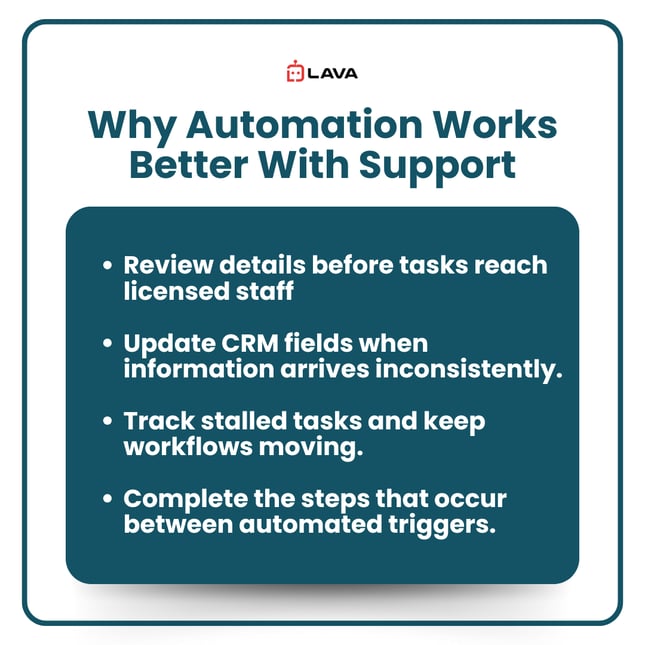
A virtual assistant strengthens automation by handling the steps that require judgment or corrections.
A trained assistant can:
Review details before tasks reach licensed staff
Update CRM fields when information arrives inconsistently.
Track stalled tasks and keep workflows moving.
Complete the steps that occur between automated triggers.
This partnership creates predictable results. Automation handles consistent steps, and the assistant supports everything that varies. Licensed employees stay focused on client conversations while the workflow stays organized.
How can busy insurance teams create time to improve their systems?
Agencies create time for automation by shifting routine tasks before they begin. When a virtual assistant takes responsibility for work that follows a clear sequence, licensed staff regain hours to focus on documentation and system improvement.
Space for automation appears when routine administrative work moves to a virtual assistant.
Common early handoffs include:
Certificate processing
Inbox triage
Gathering missing renewal details
Updating policy information or CRM fields
These tasks help stabilize the day. As the assistant becomes consistent, staff gain time to refine documentation or plan automation improvements. Lava’s structured onboarding supports this shift by preparing assistants for insurance workflows before they begin supporting your team.
What should insurance teams remember when deciding whether to automate during busy seasons?
Busy seasons rarely get lighter. Tasks accumulate, and teams continue working inside the same structure unless changes occur. Relief begins when routine work follows a more precise sequence and staff no longer rely on memory to keep tasks moving.
Overload is often the sign that automation should begin, not the sign to wait.
Automation supported by a virtual assistant helps insurance teams stay organized and maintain steady progress. Tasks move predictably. Staff gain clarity. Licensed employees focus on clients rather than on administrative work.
At Lava Automation, we support agencies with automation programs and virtual assistant training explicitly built for insurance workflows. Our experience supporting billions in premium gives us a clear view of where agencies lose time and how to build systems that help teams stay ahead.
To see how automation and virtual assistants work together inside actual agency processes, your next step is to read Why Insurance Automation Fails Without Virtual Assistants.
Frequently Asked Questions
How long does it take to automate a simple workflow?
Most agencies see progress within the first month.
Does automation replace staff?
No. It supports the team by completing predictable steps.
Do we need complete documentation before automating?
No. Many agencies improve documentation as they build automation.
Will a virtual assistant increase workload at the start?
Early guidance is needed, but most teams see relief within weeks.
Which tasks are the best starting point for automation?
Tasks with consistent steps, such as reminders and document collection.
