

Are your reports taking longer to build than the meetings they support?
Do staff spend more time fixing errors than completing client work?
When your CRM stops making daily operations easier, it’s time to review whether it still fits your agency.
At Lava Automation, we’ve supported hundreds of insurance agencies through CRM upgrades, automation rollouts, and virtual assistant training. With billions in premium supported and hundreds of thousands of hours saved, we understand what causes systems to stall and how structure brings them back to life.
In this article, you’ll learn the most common signs your CRM has reached its limits, what features to look for next, and how to prepare your team for a seamless transition.
Why Do Insurance Agencies Outgrow Their CRMs?
Every CRM has a life cycle. The system that worked when your agency was small can quickly reach capacity once client, carrier, and communication volume increase.
A CRM that once supported your workflow can eventually slow it down if it can’t scale with growth.
Agencies typically outgrow their CRMs when:
Client volume increases, but data entry remains manual.
Staff work in different tools that don’t sync with the CRM.
Automation options can’t keep up with new service expectations.
Systems that can’t adapt often create more data corrections, missed follow-ups, and inconsistent service experiences.
If you’re not sure whether your platform still fits, review our guide on the best CRMs for insurance agencies in terms of integration, automation, and usability.
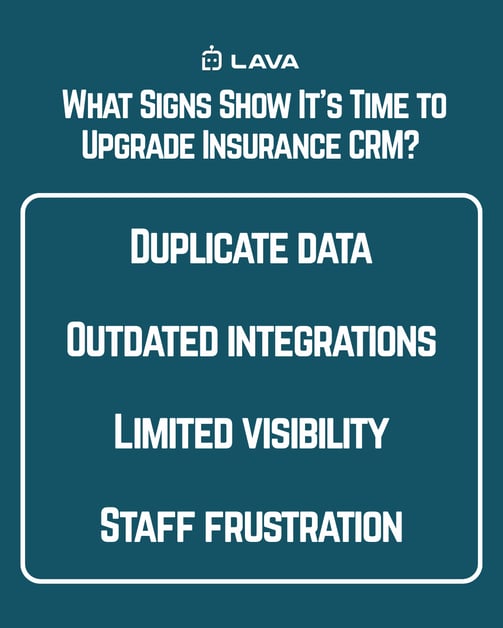
What Signs Show It’s Time to Upgrade Insurance CRM?
Specific operational patterns reveal when a CRM has stopped helping your team perform.
Frequent errors, double entries, and scattered communication indicate a CRM that no longer supports accuracy.
Look for these signals:
Duplicate data. When producers and CSRs re-enter client details into multiple tools, efficiency disappears.
Outdated integrations. Older CRMs struggle to connect with marketing or quoting platforms.
Limited visibility. Reports require manual cleanup or multiple spreadsheets to be useful.
Staff frustration. When employees avoid the CRM, it’s a sign that the system isn’t meeting their needs.
Ignoring these signals costs agencies time, consistency, and trust across departments.
How Does a Modern Insurance CRM Improve Daily Operations?
Modern insurance CRMs unify every client, carrier, and task into one connected system.
A well-implemented CRM creates clear visibility for leaders, structured workflows for teams, and faster communication for clients.
A connected platform allows your agency to:
Automate follow-ups and renewals.
Track every policy status and task in one view.
Streamline collaboration between producers and CSRs.
Monitor team performance with real-time dashboards.
These improvements reduce repetition, speed up renewals, and make each client interaction more predictable.
What Should You Look for in a Replacement System?
The best CRM for your agency depends on scale, team size, and integration requirements.
Selecting a CRM is less about features and more about fit with your agency’s workflows.
When evaluating your next system, focus on:
Integration readiness. Confirm it connects to your AMS, automation tools, and key communication platforms.
Automation support. Ensure the system can handle repetitive tasks and reminders automatically.
Reporting flexibility. Dashboards should display renewals, retention, and pipeline metrics without manual editing.
Data migration support. The provider should assist with import validation and error checks.
Training and onboarding. Look for guided adoption plans that help staff adjust quickly.
Common insurance-focused CRMs like AgencyZoom, InsuredMine, and HubSpot each provide customizable automation and task tracking that scale with growth.
How Can You Prepare for a CRM Transition?
Upgrading your CRM requires both technical and human preparation.
Agency transitions succeed when leaders plan workflows before migration begins.
Audit your data. Clean duplicates, check formatting, and remove outdated records.
Document key processes. Identify what each team member needs the CRM to do.
Start in phases. Roll out the new system to one department, test, and refine.
Provide structured training. Reinforce workflows until they feel routine.
Many agencies rely on trained virtual assistants to manage ongoing data updates, create reports, and maintain automation accuracy after launch.
What Results Can You Expect After an Insurance CRM Upgrade?
Agencies that modernize their CRMs typically see stronger reporting, faster onboarding for new staff, and improved collaboration across departments.
An upgraded CRM gives your team confidence in every client interaction by making data and workflows consistent.
Results often include:
Shorter response times for service requests
More accurate renewal tracking
Reduced manual entry
Better visibility into sales and retention trends
When combined with automation and structured support, these outcomes lead to measurable productivity and higher client satisfaction.
Keeping Your Agency Organized with the Right CRM
Your CRM influences every renewal, task, and client interaction inside your agency. Over time, outdated systems introduce small inefficiencies that multiply across teams.
A modern CRM creates predictability by linking automation, structure, and reporting into one unified workflow.
Lava Automation helps insurance agencies plan, implement, and optimize CRM systems that evolve with growth. From setup to virtual assistant integration and automation design, our programs create a sustainable structure for busy teams.
Now that you know how to tell if it is time to upgrade your CRM, learn Why Insurance Automation Fails Without Virtual Assistants to see how trained support keeps automation accurate after a CRM upgrade.
Frequently Asked Questions
How long does a CRM implementation take?
Most small to mid-size agencies complete implementation in about 60–90 days when roles and responsibilities are clearly defined.
Will we lose data during migration?
With proper mapping and validation, data loss should be minimal. Always run test imports before a final transfer.
Do we need to change our AMS too?
Not always. Many agencies keep their AMS and upgrade only the CRM to improve automation and reporting.
Can a virtual assistant help manage CRM workflows?
Yes. A trained insurance virtual assistant can maintain client records, monitor automated processes, and flag errors that slow down workflows.
How often should we review our CRM setup?
Review your CRM every two to three years to confirm integrations, reporting accuracy, and automation reliability.
