

A producer at a growing insurance agency spent Monday morning on calls. By afternoon, fourteen leads from the weekend were still sitting untouched in the CRM. By Tuesday, three had already requested quotes from competitors.
The CRM was doing exactly what it was built to do: store leads, but it was never built to work them.
That distinction is the answer to a question most agency owners ask eventually. Why is my conversion rate lower than the lead volume should support? The CRM is there. What is missing is the workflow layer that moves leads forward automatically instead of waiting for a producer to have a free moment.
At Lava Automation, we have built CRM workflow automation systems for more than 300 insurance agencies managing over $4 billion in premium. The agencies converting the most leads are the ones whose CRM workflow automation handles the follow-up, routing, and timing automatically.
In this article, you will learn exactly why that gap exists, what CRM workflow automation does to close it, and how to build a system that converts more of the leads already sitting in your pipeline.
Why Most Insurance Agency CRM Pipelines Underperform
Leads arrive from multiple sources and land in the same queue, and it sits until someone with a free moment works the list.
The newest leads get attention because they feel urgent. The leads from three weeks ago get ignored because the pipeline has moved on.
A CRM pipeline that depends on producer memory and manual initiation will always underperform the lead volume it receives.
What CRM Workflow Automation Does to a Lead Pipeline
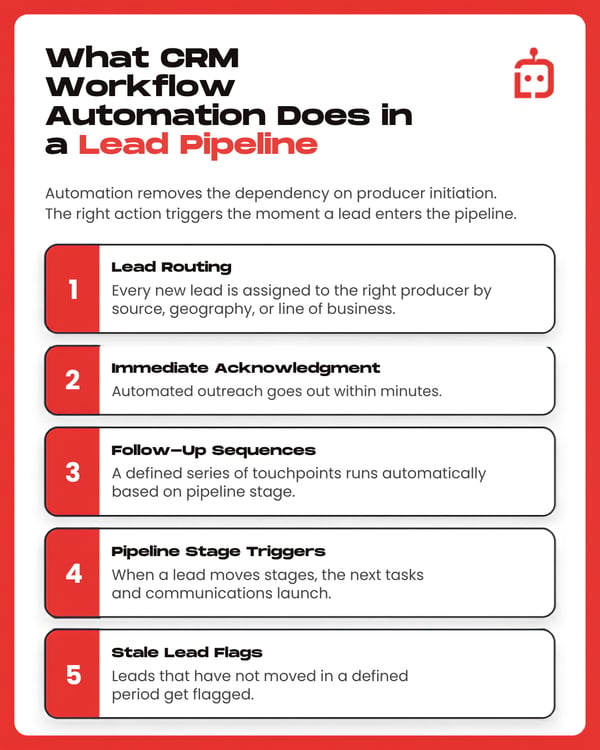
CRM workflow automation removes the dependency on producer initiation by triggering the right action the moment a lead enters the pipeline.
Here is what CRM workflow automation handles inside a running pipeline:
- Lead routing — every new lead is assigned to the right producer based on source, geography, or line of business
- Immediate acknowledgment — automated outreach goes out within minutes
- Follow-up sequences — a defined series of touchpoints runs automatically based on pipeline stage
- Pipeline stage triggers — when a lead moves stages, the next tasks and communications launch automatically
- Stale lead flags — leads that have not moved in a defined period get flagged
CRM workflow automation ensures producer judgment gets applied to the right conversations.
To understand how CRM automation compares to manual follow-up, read: CRM Automation vs Manual Follow-Ups: Which One Grows Your Book Faster
Which Insurance Lead Sources Should You Automate First?
Paid internet leads
These leads are shopping actively and have likely submitted the same request to multiple agencies. A follow-up sequence that triggers within minutes closes the response time gap before it becomes a lost sale.
Referrals
These are the highest-value leads and the ones most often managed inconsistently. CRM workflow automation ensures a referral triggers immediate acknowledgment and creates a producer task for personal follow-up within a defined timeframe.
Cross-sell opportunities
CRM workflow automation identifies single-line clients based on policy data and launches an outreach sequence without anyone pulling a list manually.
What Your CRM Pipeline Looks Like Without Automation Running It
You have 180 active leads in your pipeline right now. Forty-three have not been contacted in more than two weeks. Three referrals that came in this month are sitting in the same queue as forty paid internet leads. Nothing in the system distinguishes them as higher priority.
Your top producer is working leads, but she is also updating CRM records after every call and creating follow-up tasks manually.
The leads are there. The CRM is there. The conversion rate the pipeline is capable of producing is not showing up in the numbers because the workflow layer is missing.
How to Build CRM Workflow Automation That Actually Converts
Agencies that build CRM workflow automation internally often run into the same pattern. Workflows get added over time without a clear map of what each one is supposed to do. Some end up overlapping or trigger on the wrong conditions. Producers start receiving tasks they cannot explain, and leads start receiving duplicate outreach.
Automating a broken process at scale will just make the breakdown harder to trace.
When agencies come to Lava after this happens, the rebuild always starts the same way. A complete map of what each workflow is supposed to do before a single new sequence gets configured.
What a CRM Pipeline Looks Like When Workflow Automation Is Running
You came into this article with fourteen leads sitting untouched somewhere in your pipeline and a conversion rate that never seemed to match your lead volume.
The workflow layer that should have been moving them was missing. That is the single fact this entire article has been building toward, and it is the one worth remembering before you evaluate any solution.
When CRM workflow automation is running the way it should, leads get routed the moment they arrive. Referrals never sit in the same queue as a paid internet lead waiting for someone to notice the difference.
The agencies that get the most from their CRM lead pipeline built a system that turns every lead source into something producers work rather than manage.
At Lava Automation, we build CRM workflow automation inside your existing systems so your pipeline finally runs the way it was designed to. Every workflow is mapped to your specific lead sources and processes before anything is configured. Over $4 billion in premium runs on what we have built across more than 300 agencies.
To see exactly what the build process looks like from kickoff to a fully running pipeline, read: How Lava Builds and Launches Automation Inside an Insurance Agency.
Frequently Asked Questions
What is CRM workflow automation for insurance agents?
CRM workflow automation triggers follow-up sequences, routes leads, creates tasks, and moves pipeline stages automatically based on defined conditions. It removes the dependency on producer memory, so leads are worked consistently.
Why do most insurance agency CRM pipelines underperform?
Most pipelines are built to store leads rather than work them. Without CRM workflow automation triggering the right actions, leads depend on producer initiation to move forward. At any meaningful volume, that dependency creates inconsistent follow-up and conversion rates.
Which lead sources benefit most from CRM workflow automation?
Paid internet leads benefit most from immediate routing and acknowledgment since response time is the primary conversion variable. Referrals benefit from task creation and priority flagging. Cross-sell opportunities benefit from automated identification and outreach sequencing.
How do you build CRM workflow automation that actually works?
Start with mapping before building. Define what happens within the first five minutes of each lead type entering the pipeline, what the 14-day follow-up sequence looks like, and what triggers a stale lead flag before configuring anything.
What does Lava build for insurance agency CRM workflow automation?
Lava maps your existing lead sources, routing logic, and follow-up processes before configuring any automation. Every workflow is built inside your existing CRM and tested against real data before going live.
Topics:
