

Are you only thinking about your IT infrastructure when something breaks?
Have you been relying on a break-fix IT provider or handling technology issues internally, assuming that as long as nothing goes wrong, you are fine?
That assumption is what makes the moment something does go wrong so damaging. Systems go down. Clients cannot be reached. Your team is in panic mode while someone scrambles to find the right person to call.
And the longer the response takes, the more revenue and compliance standing you lose. For a growing business, a single unmanaged incident can cost more than a full year of proactive IT support.
At Lava Automation, we have managed IT and security infrastructure for more than 300 growing businesses across service-based industries over the past six years. We have seen what happens when reactive IT management hits its limit, and we have helped businesses recover from incidents that structured oversight would have prevented entirely.
In this article, you will learn why reactive IT support creates compounding risk as your business grows, what proactive management actually looks like, and how to evaluate whether your current approach is keeping pace with your operation.
What Is the Difference Between Reactive and Proactive IT Support?
Reactive IT support, commonly called break-fix, operates on a simple model. Something breaks, you call, someone fixes it, you pay. It is technically a repair service.
Proactive IT management operates differently. A managed IT provider continuously monitors your environment, applies patches on a consistent schedule, manages access controls as your team changes, and identifies threats before they become incidents.
The work happens whether anything has gone wrong, because the goal is to prevent it in the first place.
The distinction matters more as your business grows because the volume of what needs to be secured grows with it.
Why Does Reactive IT Create More Risk as a Business Grows?
A small business with five employees and three devices can absorb reactive IT management. When something breaks, the impact is contained. But as the business grows, those conditions change.
More employees mean more devices, access points, and opportunities for something to go wrong before anyone notices.
Here is what that looks like in practice:
- A new employee joins and gets broader system access than their role requires because nobody audited the permissions
- An application goes unpatched for three months because the update was not on anyone's calendar
- A phishing email reaches the whole team because there is no email security filtering in place
These are the normal accumulation of unmanaged risk inside a growing business. And by the time a reactive IT provider gets called, the damage is already underway.
What Does Reactive IT Actually Cost When Something Goes Wrong?
Recovery, downtime, regulatory exposure, and reputational damage combine to produce an average incident cost that most growing businesses are not financially positioned to absorb.
But the more relevant cost is operational downtime. Every hour your systems are down is an hour your team cannot work or generate revenue.
Reactive IT providers only respond after an incident is reported. That response takes time. Diagnosing the problem and implementing a fix takes more time. And throughout all of that, your operation is sitting still.
A proactive managed IT provider detects threats before they become incidents. Containment happens in real time before you even know something was attempted.
What Does Proactive IT Management Include?
The gap between reactive and proactive IT is a set of specific practices that either exist inside your technology environment or do not.
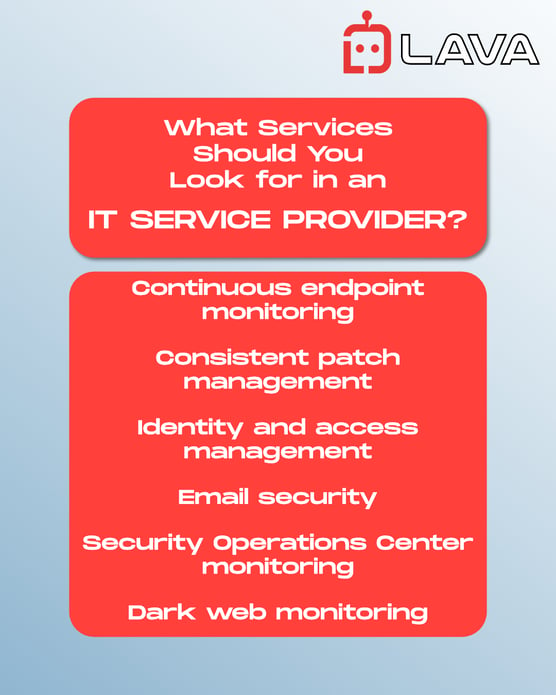
Continuous endpoint monitoring: every device is watched in real time with immediate detection of unusual behavior, unauthorized access, and malware.
Consistent patch management: every device and application runs the latest software, so known vulnerabilities are closed before they are exploited.
Identity and access management: every user has permissions aligned with their role, is provisioned correctly on day one, and is removed when they leave.
Email security: malicious messages are filtered before they reach your team. Phishing remains the most common entry point for cyberattacks.
Security Operations Center monitoring: around-the-clock oversight with real-time alert review and immediate escalation of genuine threats.
Dark web monitoring: continuous scanning of breach databases with immediate alerts when your credentials appear where they should not.
At Lava Automation, every one of these practices is built into every client engagement. One partner owns it all, so nothing falls between the vendors.
To understand what each of these looks like inside a fully managed system, read: What Does a Managed IT Provider Do for My Business?
How Do You Know If Your Current IT Approach Is Keeping Pace?
The clearest indicator is whether someone is actively watching your environment right now or only paying attention when you call.
Ask yourself:
- When was the last time every device in your business was patched and updated?
- Do you know who currently has access to your critical systems and whether those permissions are still appropriate?
- If a credential were compromised today, how long would it take you to find out?
- Is anyone monitoring your environment outside of business hours?
If any of those questions do not have a clear answer, your current IT approach has gaps that grow more expensive every month you leave them unaddressed.
When Should a Growing Business Switch to Proactive IT Support?
Businesses often wait until downtime forces the change. By then, the cost will be higher than it would have been with prevention.
Reactive IT support made sense when your business was smaller and your technology environment was simpler. As your business grows, that calculation reverses.
The costs of downtime, recovery, regulatory exposure, and lost client trust consistently exceed the cost of proactive management that would have prevented them.
Once businesses understand where the risk lives, the next question is what proactive support should realistically cost.
At Lava Automation, we manage your full IT and security infrastructure for $150 per seat per month. Endpoint protection, email security, dark web monitoring, identity and access management, Security Operations Center monitoring, and 24x5 user support. One partner. One flat rate.
Book a free demo with Lava Automation to walk through your current environment and understand exactly where your reactive approach is leaving you exposed.
Frequently Asked Questions
What is the difference between reactive and proactive IT support?
Reactive IT support responds after something breaks. Proactive IT management continuously monitors your environment, applies patches on schedule, manages access controls, and identifies threats before they become incidents.
Why is reactive IT support risky for growing businesses?
More employees, devices, and systems mean more entry points for attackers and more gaps for unmanaged risk to accumulate.
How much does a cyberattack cost a small or mid-sized business?
Direct costs include recovery, replacement, and regulatory penalties. Indirect costs include operational downtime, lost revenue during outages, and client trust that is lost and not recovered.
What does proactive IT management include that reactive support does not?
Continuous endpoint monitoring, consistent patch management, identity and access management, email security, Security Operations Center monitoring, and dark web monitoring.
How do I know if my business needs managed IT support?
If you cannot clearly answer who has access to your critical systems, when devices were last patched, or how long it would take to detect a compromised credential, your current approach has gaps that proactive management would close.
